
LineX Icon Pack
JustNewDesignsPersonalization
4.5628.00 Reviews
- Version
- 8.9
- Installs
- 100.00K
- Age Rating
- Everyone
Screenshots

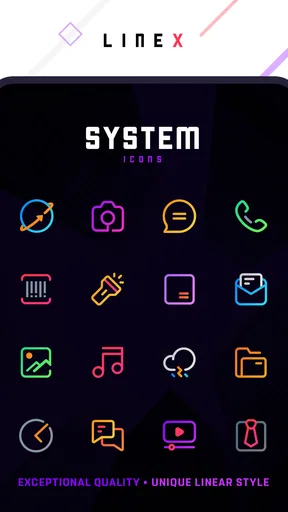
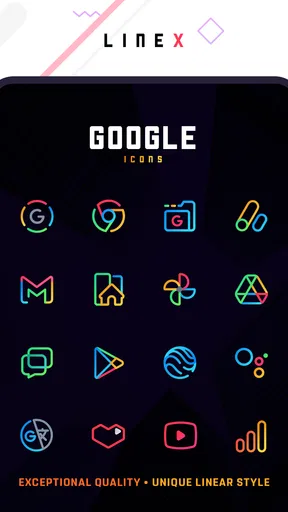
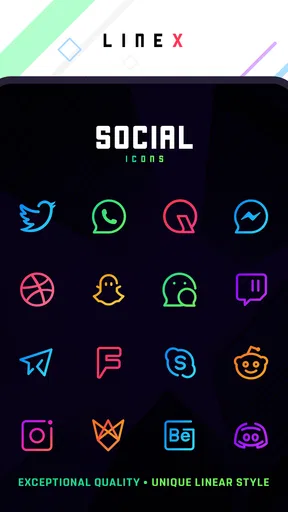
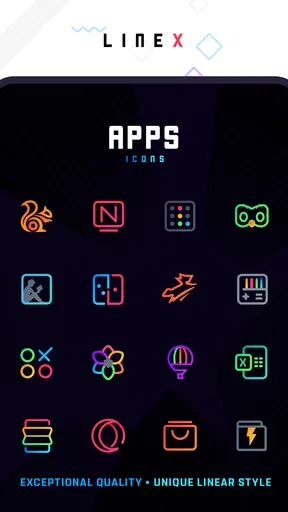
Our Review of LineX Icon Pack
 Analysis by Appyee
Changing an Android home screen can be surprisingly fiddly. An icon pack may look excellent in its preview yet still leave you wondering why some icons have not changed, why the pack does not appear inside your launcher, or why the result feels less polished than expected. I spent time with LineX Icon Pack to judge it as a practical personalization tool rather than simply admiring its neon artwork. My overall impression is that it has a clear visual identity and can give a compatible Android setup a strong makeover, but the quality of the final result depends heavily on the launcher you use and on how much manual adjustment you are willing to make.
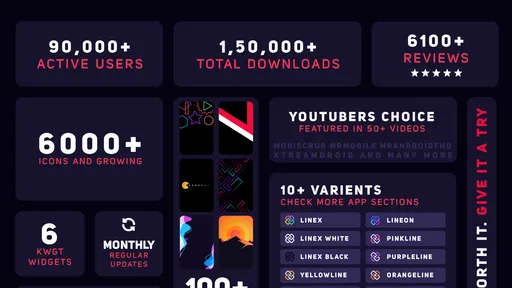
Created by JustNewDesigns, this is a paid personalization app for Android. It costs $0.99, carries an Everyone age rating, and supports devices running Android 6.0 or later. The app has reached over 100K installs, with a 4.5 average from around 7K ratings and 628 written reviews. Those figures suggest a healthy user base, but they do not remove the most important question: will its line-based neon style fit your phone, your wallpaper, and your launcher?
What makes the design work, and where it can feel demanding
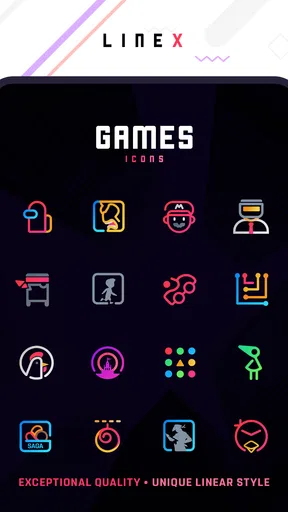
The central idea is easy to understand. Instead of using solid, highly detailed app symbols, LineX Icon Pack builds its look around outlined shapes and bright color accents. The result is more graphic than realistic. On a dark wallpaper, the icons can appear crisp and luminous, giving the home screen a deliberately themed appearance rather than a collection of unrelated default symbols.
I think the style works best for people who enjoy a high-contrast home screen with a slightly futuristic mood. It is especially convincing when the wallpaper is dark, simple, or abstract. A busy photograph can compete with the thin icon lines, while a pale background may reduce the visual impact of the neon colors. This is not a neutral pack designed to disappear into every layout; it asks your wallpaper and widgets to cooperate with it.
The first practical obstacle is often not the artwork but the launcher. Icon packs are normally applied through a launcher’s own theme or icon settings, and different launchers expose that option in different places. Some recognize installed packs immediately, while others require you to open their appearance panel and select the pack manually. If LineX does not show up on the first try, I would check the launcher’s icon settings before assuming the app is broken.
There is another common source of confusion: installing an icon pack does not necessarily mean every icon on the phone will change. The launcher has to support icon packs, and the pack needs a matching design for the app in question. Less common apps, newly installed apps, manufacturer tools, and region-specific services may remain unchanged. That mixed result can make a good theme look unfinished, even when the pack itself is working correctly.
For that reason, I would not recommend judging the pack from the first few seconds after installation. Apply it, return to the home screen, and look at the whole layout from a normal distance. The line treatment can make a row of icons feel more consistent, but a few untouched originals may stand out sharply. If your phone contains many specialized apps, you should expect some manual cleanup or a willingness to accept a hybrid look.
The setup checks I would make first
Before paying attention to visual details, I would confirm that the phone meets the Android requirement and that the launcher currently in use supports third-party icon packs. Android 6.0 is the minimum operating system for this release, so older devices should not be treated as a guaranteed fit. On a newer phone, the more important check is the launcher itself, particularly if the device uses a manufacturer interface with limited customization.
I would also keep the first test simple. Install the pack, open its own interface if available, and look for the option that applies or guides you toward applying the icons. If the launcher takes over from there, select LineX in the launcher rather than repeatedly tapping the pack and expecting the home screen to update by itself. This small distinction saves time because the launcher is usually the part that controls the final appearance.
After applying it, I would check three areas: the home screen, the app drawer, and any dock icons. A launcher may treat these areas differently, and a change visible in one place may not be obvious in another. I would then restart the launcher in the ordinary way available on the phone, such as returning to the home screen or reopening the launcher settings. I would avoid aggressive system changes simply to force a cosmetic update.
Another useful check is to compare the result with the launcher’s default icon shape or masking option. Some launchers place icons inside a common shape, which can soften or hide the line artwork. Others leave icons at different visual sizes, making one row look uneven. If LineX appears too small or too enclosed, the issue may be the launcher’s icon sizing or masking rather than the pack’s design.
The paid nature of the app is worth considering before setup. The listed price is $0.99, and in-app purchases range from $0.49 to $5.99 per item. I would treat that as a reason to decide how deeply I want to customize before buying, especially if I am only curious about the style. For someone already committed to a neon line theme, the entry price is modest; for someone who changes themes every few days, a free alternative may be the more sensible experiment.
Recovering from an incomplete or inconsistent result
When only some icons change, I would first separate the problem into two possibilities. The launcher may not have refreshed its icon cache, or the pack may simply not include a matching icon for those applications. Reapplying the pack through the launcher is a reasonable first step. If the same few icons remain untouched afterward, I would assume they need manual treatment or are outside the pack’s coverage rather than repeatedly reinstalling the app.
A practical recovery workflow is to start with a small home screen. Move only the apps you use most often onto one page, apply the pack, and inspect that page carefully. This gives you a controlled test and makes it easier to notice whether the issue affects all icons or only particular apps. Once the main page looks right, expand the theme to other screens. It is less frustrating than trying to redesign the entire phone while troubleshooting.
If one icon looks visually wrong, I would check whether the launcher offers an edit option for individual shortcuts. Many launchers let users replace a single icon from an installed pack, but the exact steps vary. The important point is to use the launcher’s own shortcut editor rather than modifying system files or installing unrelated tools. That approach keeps the change reversible and avoids creating a new problem while solving a small cosmetic one.
Manual selection also helps with apps that have several possible matches. A banking app, work tool, or regional service may not be recognized exactly as expected. If the launcher presents more than one candidate, I would choose the symbol that best matches the app’s role and visual weight, not merely the first result. With a line-based theme, consistency of stroke and color usually matters more than a perfect literal representation.
There is a trade-off here. The more manual replacements you make, the more personal the home screen becomes, but the longer maintenance takes when you uninstall or replace apps. I would reserve manual editing for the dock, the first home screen, and the apps I open every day. Leaving secondary screens partly untouched is a reasonable compromise and prevents the setup process from becoming a chore.
Widgets deserve attention too. A bright clock, a colorful weather panel, and neon icons can create too much competition. I found the style easier to appreciate when the widget colors were restrained and the wallpaper did not contain many sharp details. If the screen feels noisy, I would change the wallpaper or simplify the widget arrangement before blaming the icon pack. The pack can only control the icons; it cannot harmonize every other element on the screen.
When the icon pack is not the real cause
Some apparent failures happen because the launcher is restricting customization. A manufacturer launcher may allow wallpaper changes and basic icon shapes while refusing external icon packs. In that case, installing LineX will not turn the default launcher into a fully themeable one. The realistic choice is to use a compatible launcher, stay with the current interface, or choose a personalization method that the phone already supports.
I would be cautious about switching launchers solely for this pack if you rely on special manufacturer features. Gesture navigation, secure folders, edge panels, search behavior, and backup systems can vary between launchers. A third-party launcher may give LineX the freedom it needs while changing other parts of daily use. The better option depends on whether the visual redesign is worth adjusting to a different home-screen workflow.
Performance complaints also need careful interpretation. An icon pack mainly supplies visual assets; the launcher is responsible for displaying and arranging them. If the home screen feels slow, icons reload, or gestures behave oddly, I would test the launcher without the pack and compare the result. That simple comparison can show whether the problem is related to the theme or to the launcher, the phone’s memory pressure, or another customization layer.
Battery concerns should be judged in the same practical way. Static icons do not create the same kind of workload as animated wallpaper or constantly updating widgets. If battery life changes after a redesign, I would inspect the whole setup rather than pointing at the icon pack immediately. A new wallpaper, widget, launcher setting, or background service may be the more relevant factor.
Compatibility can also change after a launcher or Android update. A pack that applied smoothly before may require you to select it again, or a launcher may move the icon-pack setting to another menu. I would record the current launcher name and its appearance settings before changing several things at once. That makes it easier to undo a failed experiment and identify which change caused the problem.
Who will enjoy the neon line approach
I would recommend LineX to someone who wants the phone to look intentionally themed without relying on photographic or three-dimensional icons. It suits a dark home screen, a restrained widget layout, and a launcher that gives users control over icon size and placement. It is also a good fit for people who enjoy refining details: choosing a wallpaper, balancing the dock, and manually correcting a few icons can produce a much more convincing result than simply pressing apply.
The pack is less suitable for users who want every application to receive a perfect match automatically. It is also not ideal if you prefer soft pastel colors, realistic symbols, or a completely unchanged manufacturer interface. The neon line treatment has personality, and that personality can clash with a formal work phone, a bright family-oriented layout, or a wallpaper chosen for photographic detail.
Compared with ordinary alternatives in the personalization category, the main difference is commitment. A generic icon pack may aim for broad compatibility and a familiar appearance, while LineX makes the outline-and-neon idea the center of the experience. That gives it more character, but it also makes mismatched icons and unsuitable wallpapers more noticeable. I would choose a simpler, more neutral pack if my priority were effortless consistency across a large and varied app collection.
One everyday scenario shows where it makes sense. Imagine I use a dark wallpaper, keep only communication, calendar, music, and navigation shortcuts on the first screen, and prefer a clean dock. LineX can make that small group feel like one designed interface. If I instead place dozens of work apps, shopping apps, games, and manufacturer tools across several pages, the untouched icons become more visible and the benefit of the theme becomes less certain.
Another useful scenario is a secondary device used for media or commuting. A limited home screen with a few carefully chosen shortcuts is easier to theme than a primary phone filled with specialized tools. In that setting, the pack’s visual identity can be an advantage because the screen has a clear purpose. I would still verify launcher compatibility first, since a beautiful pack is of little value if the device’s default interface cannot apply it.
My practical verdict after living with the design
My view is that LineX Icon Pack is a focused visual tool rather than a universal solution for every Android home screen. Its outlined neon artwork can make a dark, organized layout look distinctive, and the low purchase price makes it approachable for people who already know they like this style. The developer’s long-running presence in the icon-pack space is reflected in the clear direction of the design, even though the final experience still depends on the surrounding launcher.
The most important buying question is not whether the preview looks attractive. It is whether I am comfortable using a compatible launcher and accepting that a few icons may need manual attention. If the answer is yes, I can get a polished result by starting with the main screen, reducing visual clutter, and treating the wallpaper and widgets as part of the theme. If the answer is no, a more automatic or neutral icon pack will probably be less frustrating.
I would also keep expectations realistic around updates and app coverage. New applications and uncommon services can create gaps in any themed collection, so I would not build a layout that depends on every icon matching perfectly. The strongest approach is selective: theme the shortcuts that matter most, use a calm background, and leave low-priority apps alone when manual editing is not worth the effort.
For me, the deciding strength is the way the pack gives a home screen a recognizable mood without requiring a complicated visual concept. The deciding weakness is equally clear: that mood becomes uneven when the launcher limits control or when too many original icons remain. Choose it for its specific neon outline character, not for effortless universal coverage. With the right launcher and a little patience during setup, it is a convincing personalization choice; without those conditions, the usual alternative may serve you better.
Verdict
Strengths of LineX Icon Pack
- Thousands of clean, consistent line-style icons
- Frequent updates add support for newly released apps
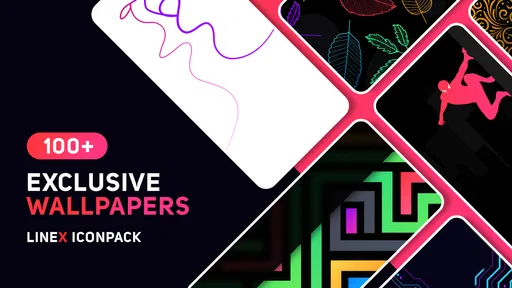
- Includes matching wallpapers for a cohesive home screen
- Icon request tool helps cover unsupported applications
- Works with many popular Android launchers
Limitations of LineX Icon Pack
- Requires a compatible launcher; it does not replace every system icon
- Some lesser-known apps may remain unsupported
- The thin outline style may reduce visibility on busy wallpapers
- Full customization features may require the paid version
- Designed for Android and unavailable on iOS
Other Releases by JustNewDesigns
View All
Depth Wallpapers & Live Clock
Personalization4.5

Everything Widgets
Personalization4.6

LineX White Icon Pack
Personalization4.5

Glass Widgets Pro
Personalization4.7
Similar Picks in This Category
View All
Microsoft SwiftKey AI Keyboard
SwiftKey4.3

Wallpapers
Google LLC4.1

Zedge™ Wallpapers & Ringtones
Zedge4.7

Yandex Browser with Alice AI
Direct Cursus Computer Systems Trading LLC4.3

Ringtone Maker:create ringtone
Big Bang Inc.4.7

Fonts Keyboard
Fonts Keyboard3.9
Frequently Asked Questions
What is LineX Icon Pack, and what does it offer?
LineX Icon Pack is a customization app for Android devices that replaces standard app icons with a modern, colorful line-style design. After installing it, users can browse a large collection of themed icons, apply them through compatible launchers, and personalize their home screen with matching wallpapers and visual elements. It is aimed at users who want a cleaner, more distinctive look without changing the entire device interface.
Which Android launchers are compatible with LineX Icon Pack?
LineX Icon Pack is designed to work with many popular third-party Android launchers, including launchers such as Nova, Lawnchair, Smart Launcher, Action Launcher, Apex, and similar customization-focused options. Compatibility can vary depending on the launcher version and device manufacturer. Before downloading, check whether your current launcher supports icon packs; the default launcher on some phones may not allow third-party icon themes.
How do I apply LineX Icon Pack to my home screen?
After installing LineX Icon Pack, open the application and look for the apply option or supported launcher list. Select your launcher, and the pack should update compatible icons automatically. You can also usually apply it from the launcher’s settings under themes, icons, or appearance. If some icons are missing, the app may provide manual icon selection so you can assign alternatives individually.
Does LineX Icon Pack include icons for every application?
LineX Icon Pack covers many commonly used Android applications, but no icon pack can guarantee an icon for every app available on the Play Store. Less popular, newly released, or region-specific apps may use their original icons or a themed substitute. When an exact icon is unavailable, users can often request it through the pack’s built-in request feature, provided the developer continues to support updates.
Is LineX Icon Pack free to use, and does it affect phone performance?
LineX Icon Pack may be available as a free download, although certain features, icon requests, or promotional elements can depend on the current version and developer policy. The pack itself normally has a minimal effect on performance because it mainly changes launcher artwork. However, live wallpapers, heavily customized launchers, or older devices may use additional memory or battery, so results can vary between phones.
